Scan from the page
Press Scan while the QR code is on screen, or right-click the page and choose “Scan QR code on this page”.
Features
Two-factor codes, passkeys, autofill and encrypted backup in one fast, private extension. Here’s all of it.
Codes
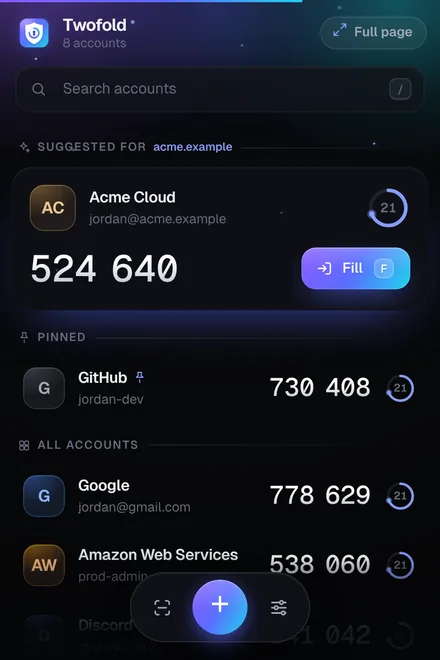
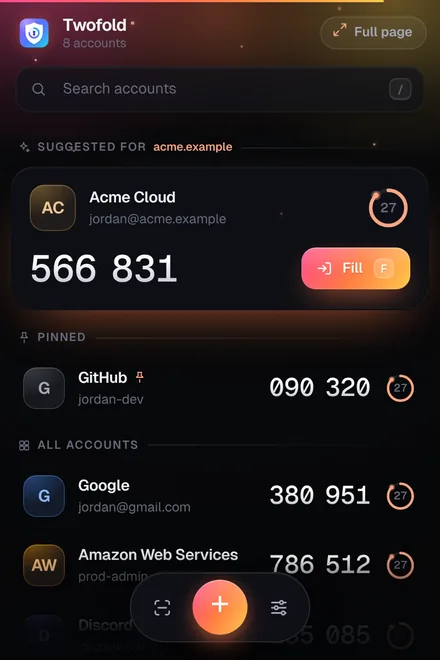
Open Twofold from the toolbar and every account is there with a live code. The account for the website you’re on is already at the top.
Smart autofill
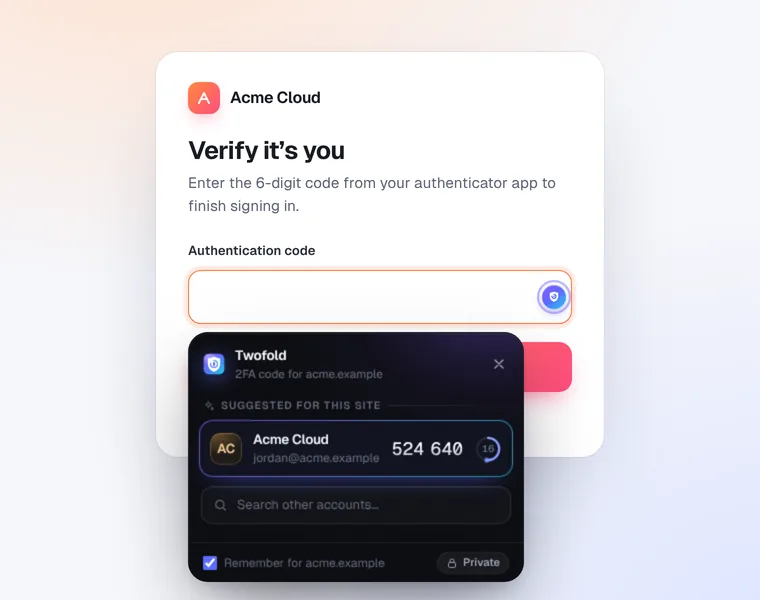
Turn on smart autofill and Twofold notices code fields on sign-in pages. Choose whether it asks first or fills the code by itself.
Passkeys
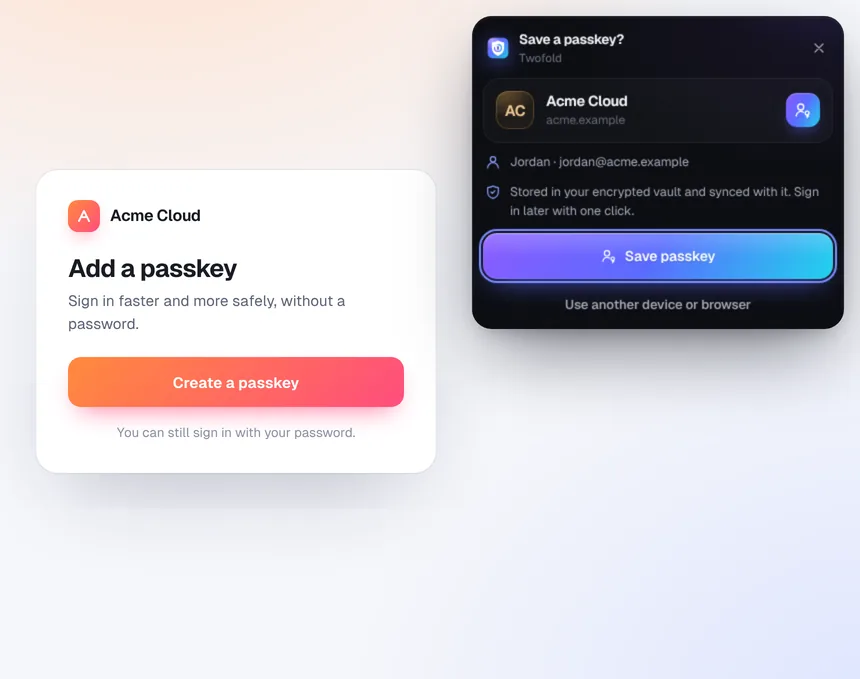
When a website offers to create a passkey, Twofold can keep it in your encrypted vault. Sign in later with one click, no phone needed.
Full page
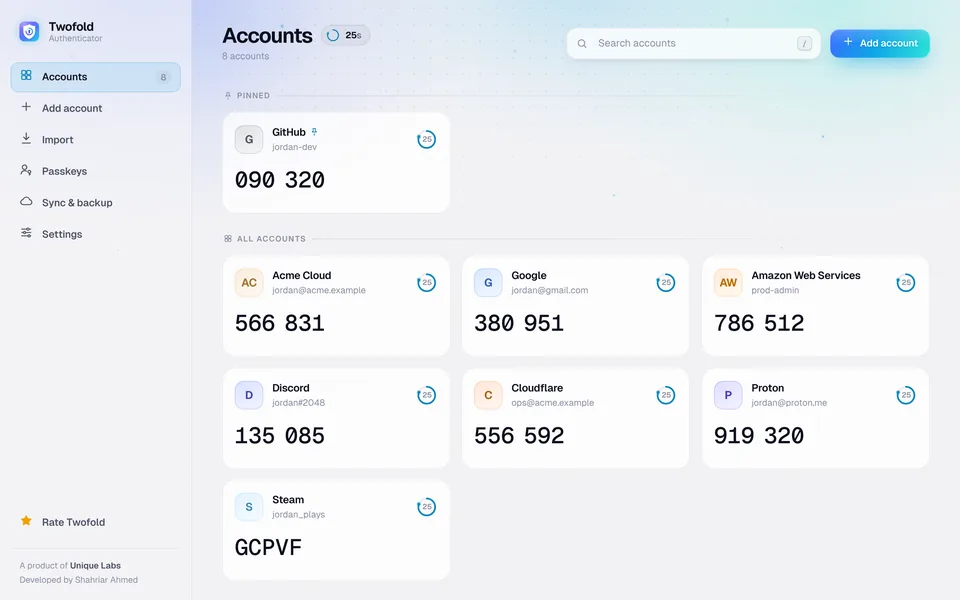
Press Full page in the popup and Twofold opens in its own tab, laid out for big screens.
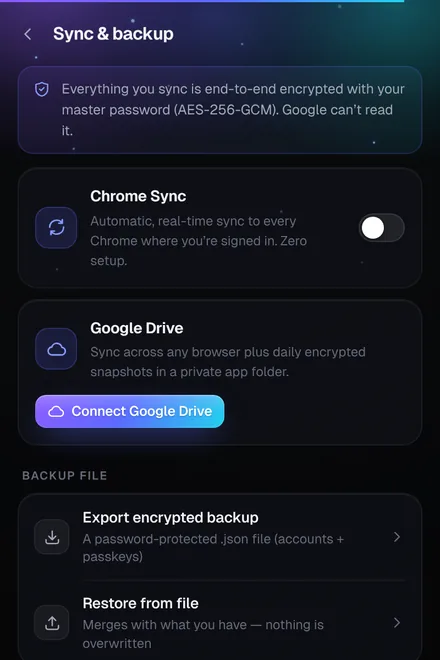
Sync & backup
Keep your vault in step across computers and safe from a lost laptop. Everything is end-to-end encrypted with your master password before it leaves your computer.
Adding accounts
However a website gives you its setup code, Twofold takes it.
Press Scan while the QR code is on screen, or right-click the page and choose “Scan QR code on this page”.
Upload a screenshot or photo of a QR code, or paste one with Ctrl+V (Cmd+V on a Mac).
Enter the text key a site shows under its QR code. A live preview checks it before you save.
Bring everything across from another authenticator’s export file or export QR codes. Pick what to keep; duplicates are skipped.
Restore a Twofold backup file or a Google Drive snapshot. Restoring adds accounts and never overwrites what you have.
Security
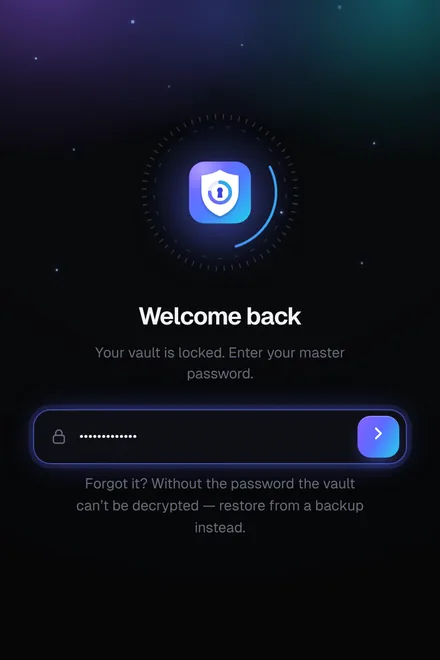
Your vault is encrypted on your device. Add a master password and only you can open it.
Make it yours
Twofold is designed to feel smooth and stay out of the way.
Keyboard
Keep your hands on the keyboard. You can change the global shortcuts at chrome://extensions/shortcuts.
| Alt Shift O | Open Twofold (Ctrl Shift O on a Mac) |
| Alt Shift F | Fill the code on the current page |
| / | Search accounts |
| ↑ ↓ | Move between accounts |
| Enter | Copy the code |
| F · E | Fill · Edit the selected account |
| Esc | Go back |
No ads, no premium plan, no account. Just add it to Chrome.
Add to ChromeIt’s free