One click. Done.
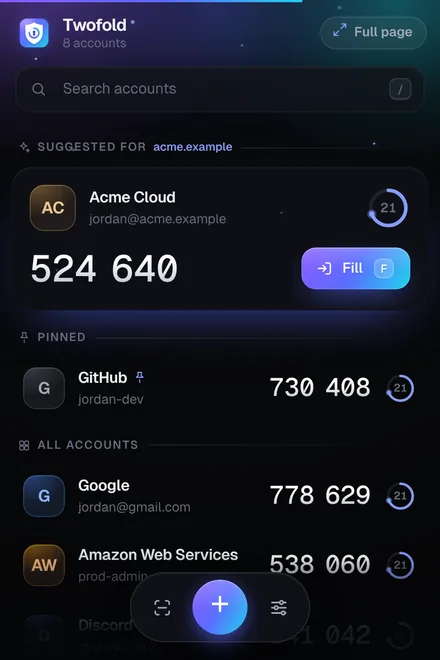
Click any account and its code is copied. A countdown ring shows how long it lasts, and the next code appears early, so you never wait. Search, pin and sort as you like.
Free authenticator for Chrome
Twofold keeps your two-factor codes and passkeys in an encrypted vault, puts the right one first for the site you’re on, and fills it in for you. No phone, no ads, no tracking.
A real, working code, made in your browser.
Everything in one place
All the codes and passkeys you need to sign in, right where you sign in. No phone to unlock, no app to dig through.
Click any account and its code is copied. A countdown ring shows how long it lasts, and the next code appears early, so you never wait. Search, pin and sort as you like.
Your codes live in Chrome, ready the moment a site asks. Works offline, on every computer you use.
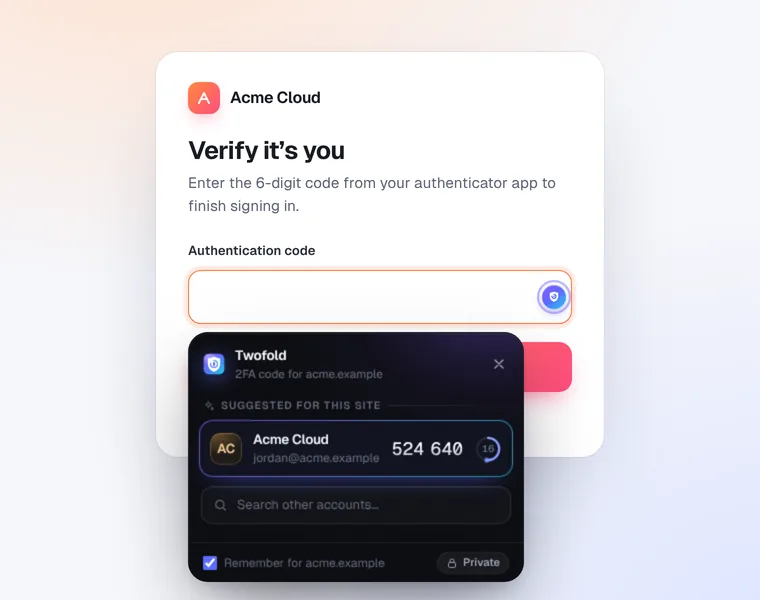
Twofold spots code fields on sign-in pages and offers the matching account, or fills it automatically. Even split one-box-per-digit fields.
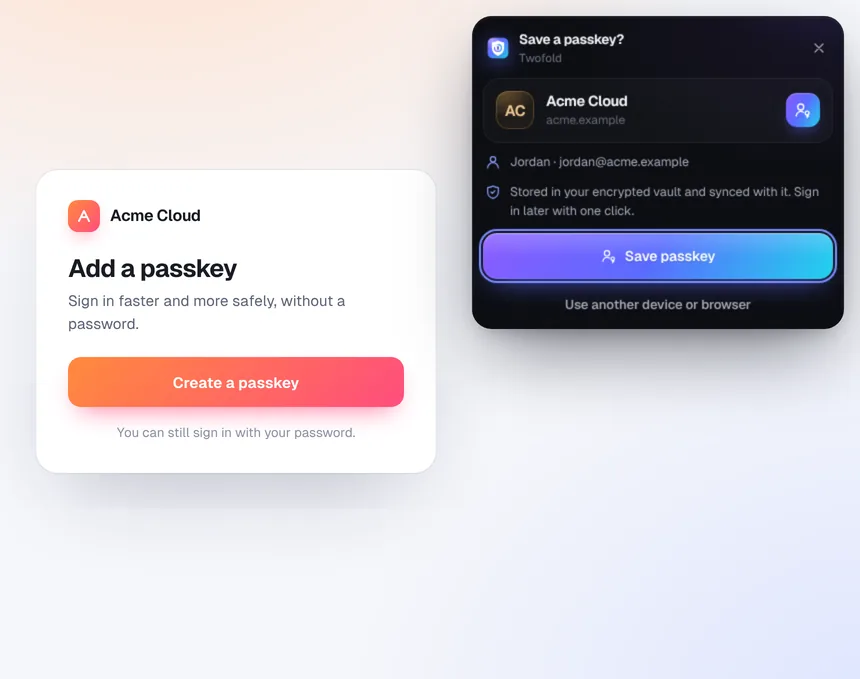
Save passkeys on any website that offers them and sign in with one click. Prefer your phone for a site? That’s always one click away.
Chrome Sync or Google Drive keep every computer in step, with daily snapshots. Encrypted with your password first.
Add an account straight from the QR code on a setup page, a screenshot, or a pasted image. No camera needed.
Open Twofold as a full desktop app in a tab: sidebar, tile grid and keyboard navigation.
How it works
Install it from the Chrome Web Store and pin it to your toolbar. Optionally set a master password to lock your vault.
Turn on two-step verification in a site’s security settings, open Twofold and press Scan. The account is added instantly.
Next time the site asks for a code, it’s already at the top of Twofold, or filled in for you. That’s it.
Try it right here
These are the real thing: the same code math and the same website check Twofold uses.
Made in your browser from a demo key, exactly the way Twofold does it. It changes every 30 seconds. Click it to copy.
Phishing pages use addresses that look right at a glance. Type one, or pick an example.
Take a tour
Smooth, fast and calm. Dark or light, with six accent colors.
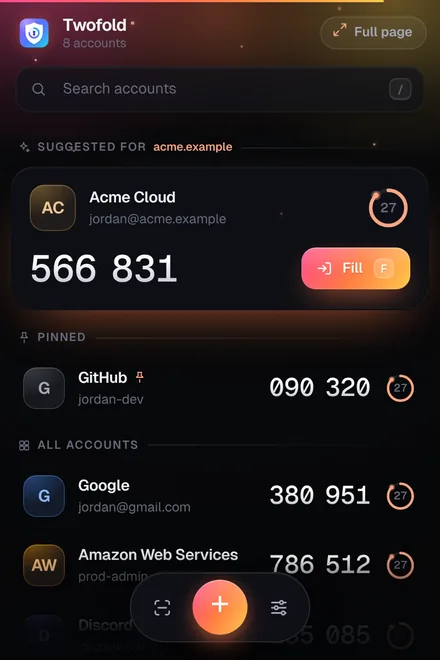
The popup: the site’s account first, live countdowns, one click to copy. Shown with two of the six accent colors.
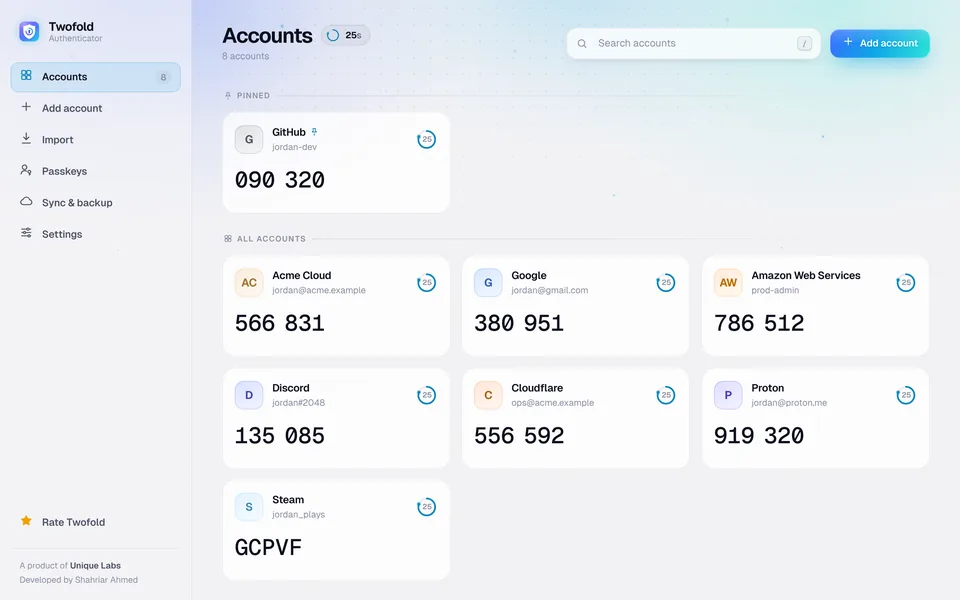
The full page: a desktop app in a tab, with a sidebar, tile grid and keyboard navigation.
Smart autofill: the right account for this website, right next to the field.
Passkeys: save them in your encrypted vault and sign in with one click.
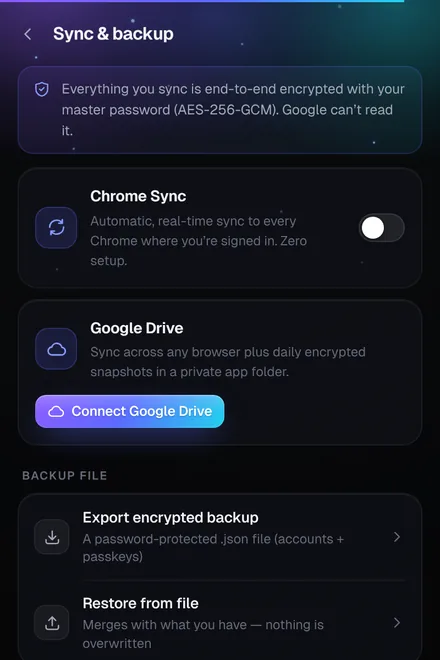
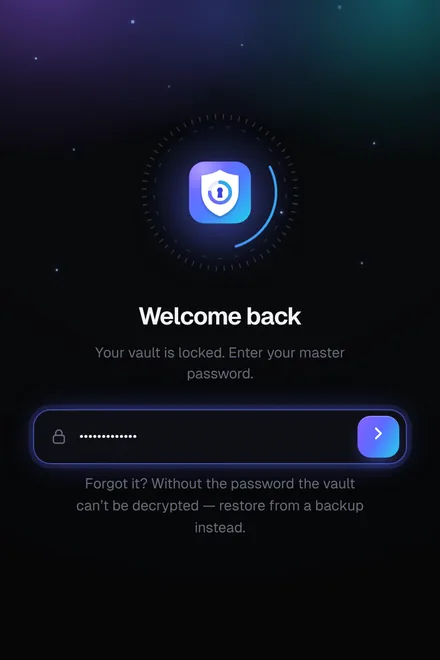
Encrypted sync, daily Google Drive snapshots and backup files, all protected by your master password.
Why Twofold
How Twofold compares with the other common ways to get sign-in codes.
| What matters | Twofold | Phone authenticator app | Text-message codes |
|---|---|---|---|
| Codes on your computer, no phone needed | Yes | No | No |
| Fills the code into the website for you | Yes | No | ~Depends |
| Ignores lookalike phishing sites | Yes | No | No |
| Safe from SIM swapping | Yes | Yes | No |
| Works without signal or internet | Yes | Yes | No |
| Encrypted backup and sync | Yes | ~Depends | No |
| Passkeys in the same place | Yes | ~Depends | No |
| Free, without ads | Yes | ~Depends | Yes |
~ depends on the app or phone. Learn more in authenticator app vs SMS codes.
Private by design
Twofold has no servers and never sees your data. Your vault is encrypted on your device, and sync is end-to-end encrypted with your master password.
Questions
Yes. No ads, no premium plan, no trial and no account to create. It’s free for good.
No. Twofold creates your codes right in Chrome, using the same open standard as phone authenticator apps. If you want your codes on a phone too, Twofold can show QR codes to transfer them.
No. Your vault is encrypted on your device. If you turn on sync, it is end-to-end encrypted with your master password before it leaves your computer, so only scrambled data is stored. Twofold has no servers of its own.
Each account remembers the website it belongs to. When you open Twofold, the account for the site in your current tab is at the top, and smart autofill offers it right next to the code field. Lookalike and phishing sites never match.
Yes. Most authenticator apps can export accounts as a file or as QR codes. Open Import in Twofold, add the file or scan the export codes, and everything comes across in one go.
Yes. Codes are calculated on your device from the current time. Only sync needs an internet connection.
From the blog
A convincing fake page can ask for your code and use it within seconds. Here is how Twofold tells the real site from a lookalike.
GuidesTwo-step verification is only as good as your plan for when something breaks. Three simple layers mean a lost laptop never locks you out.
SecurityBoth add a second step, but text messages have weaknesses that authenticator codes don’t. Here is a clear comparison and what to choose.

Add Twofold to Chrome in seconds. Free forever, no account needed.
Add to ChromeIt’s free